Download
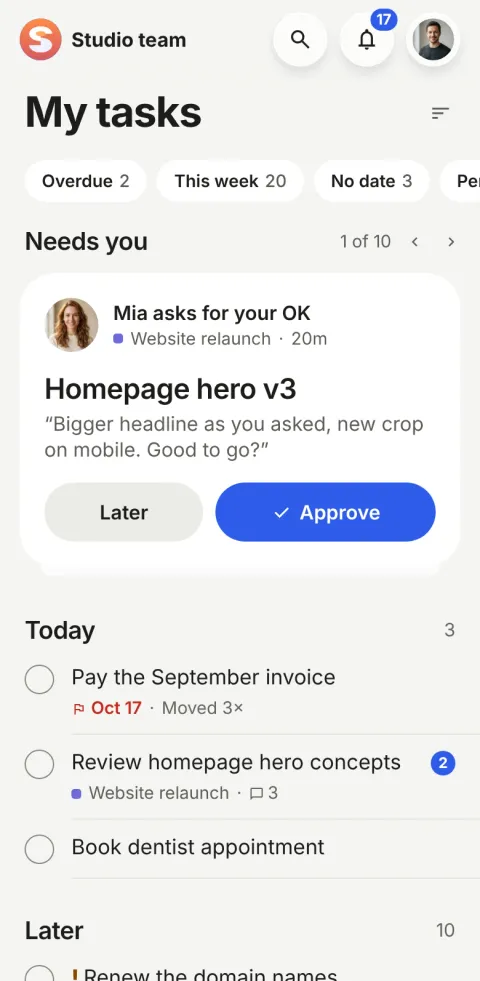
Pinok goes where your team goes
On iPhone and Android, and the same workspace in your browser, on any computer.
Platforms
-
iPhone
On the App Store
Native, with the system’s Liquid Glass for navigation and menus on iOS 26. Haptics confirm what you do; Reduce Motion and Reduce Transparency are respected.
-
Android
On Google Play
An intentional Material design, with opaque surfaces and ripples, made for Android rather than ported from the iPhone.
-
Web
Works in your browser
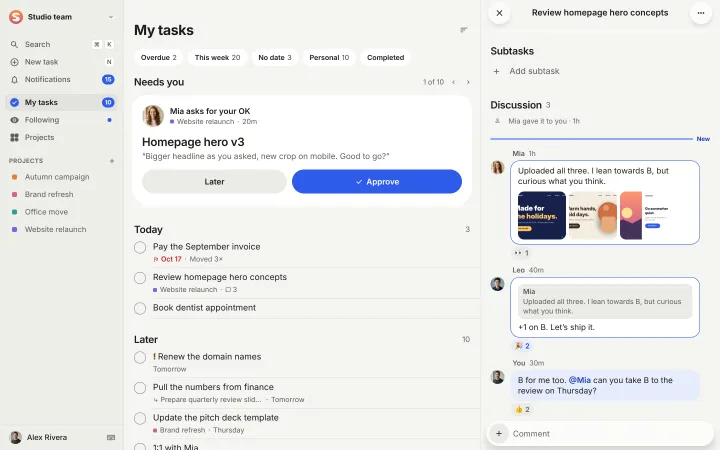
The same workspace on a computer: a sidebar, the task beside its list, ⌘K search and keyboard shortcuts.
At your desk, in the browser
Everything you do on your phone, laid out for a big screen. Changes appear on every device in moments, and a task opens beside the list you came from.
How do I start?
-
Sign in with a code
Type your email and the six-digit code we send. No password to make up or forget.
-
Your workspace is ready
It is named after your email’s domain; rename it any time. Three starter tasks show you around.
-
Invite your team
By email, or from your contacts on a phone. Anyone you invite joins the moment they sign in.
Free for up to 5 people, and every workspace gets Team free while we launch: pricing. Questions? Write to us.