Free
$0forever
Up to 5 people and 3 active projects, with every feature.
- Up to 5 people
- 3 active projects, 1 GB of files
- Every feature, nothing held back
Simple team task management
Meet Pinok, the simple task manager that follows up with your team, keeps deadlines in sight, and brings important updates to you. Just assign and move on.
Free for small teams · iPhone, Android and the web · Teams of 2–20
How it works
Pinok makes the next step obvious — and keeps important work from quietly disappearing.
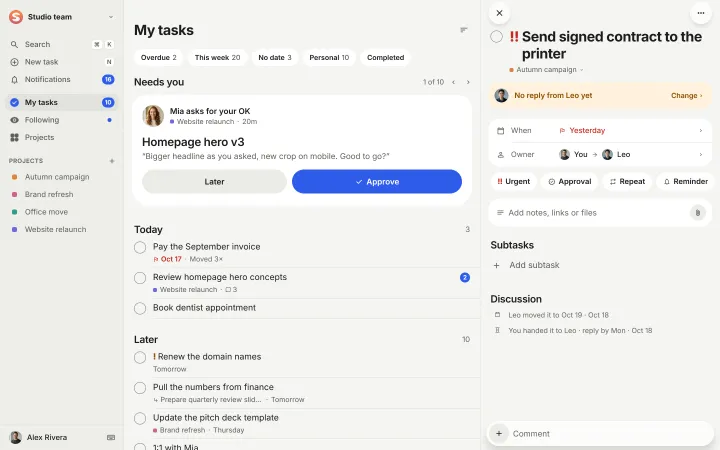
Write a task, choose who takes the next step, and set a deadline if you need one. That’s it.
Reminders and clear task signals help everyone see what’s waiting, due soon, or overdue — without another status meeting.
See requests for your approval, replies from teammates, and work that needs a closer look in one clear place.
Less chasing, more progress
Following up shouldn’t be a second job. Pinok helps you spot overdue tasks and work that’s gone quiet, so you know what needs attention without checking every conversation.
Overdue
Stuck
On track
Built for real teamwork
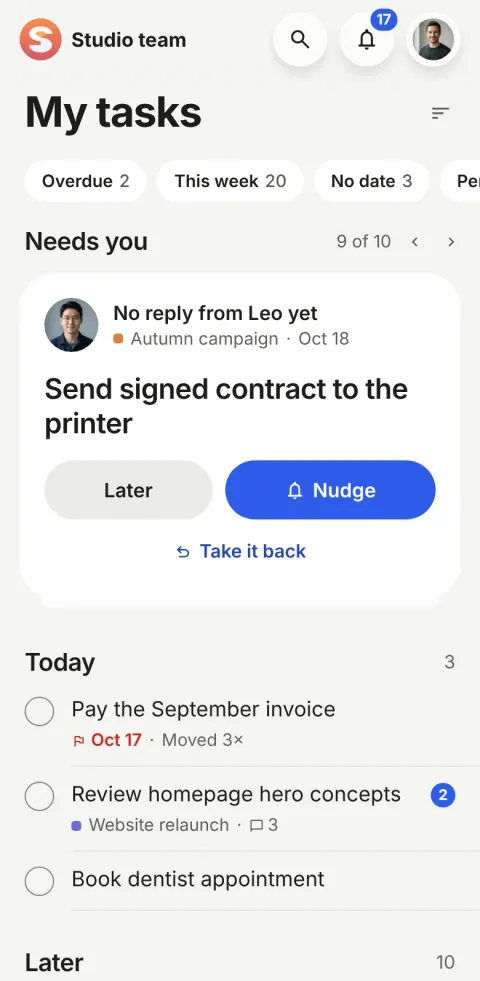
Send the next step to a teammate with a note. You remain responsible for the task, and when they reply it comes back to you — with the context intact.
Simple by design
Your team shouldn’t need a training session to manage a to-do list. Pinok keeps tasks familiar, clear, and easy to act on — from day one.
Other tools
Pinok
Everyone knows who’s responsible and what happens next.
No boards, custom statuses, or complicated templates to maintain.
Add a task in one sentence, reply quickly, and get back to work.
iPhone · Android · Web
Add a task, answer a teammate, or check what’s waiting — wherever your day takes you. Pinok is built for iPhone and Android, and the same workspace works in your browser.
Three tabs, one thumb. Liquid Glass on iPhone, Material on Android.
Tasks and what was said about them, from anywhere, as you type.
Reply to a comment from the notification, with the keyboard already open.
Made for small teams
Keep product, operations, and everyday tasks moving without a project management department.
Share reviews, hand over drafts, and make feedback easy to find.
Stay on top of deliverables and approvals across the work you’re doing together.
Pricing
$0forever
Up to 5 people and 3 active projects, with every feature.
$8$10per person a month
Billed yearly: $96 per person.Billed monthly, cancel any time.
Every workspace gets Team free while we launch. We’ll tell you at least 30 days before paid plans start, and you can always stay on Free. Compare plans
Pinok is a simple team task manager for small teams. Assign work, pass along the next step, and keep track of what needs attention — without setting up a complicated project management system.
It brings together task ownership, hand-offs, deadlines, reminders, and views that highlight overdue or quiet work. When someone hasn’t answered a hand-off, they get one reminder: on the morning of its reply-by day, or after two work days. You can see what needs you and what you’re following without asking for constant status updates.
No. Your teammates do the work. Pinok helps everyone stay clear on the next step and makes follow-ups easier.
No. You can start with a task. Pinok is intentionally simple, with no custom boards or status systems to build.
Yes. Personal and shared tasks live in the same app, and private tasks stay private until you share them with the right people.
Pinok runs on iPhone and Android, and the same workspace opens in a web browser on your computer.
Free for small teams: up to 5 people and 3 active projects, with every feature. Team is $8 per person a month billed yearly, or $10 billed monthly. While we launch, every workspace gets Team free, and we’ll tell you at least 30 days before paid plans start.
No. Pinok uses straightforward task rules and clear reminders to help work move along, so the experience stays simple and predictable.
Get started
Less setup. Fewer follow-ups. A clearer way to get things done together.
Free for small teams · iPhone, Android and the web · Teams of 2–20